Set up with a scan
Add supported accounts by scanning their authenticator QR codes.

A two-factor authenticator for Android, with TOTP and HOTP support. Scan a QR code to add an account and generate one-time passwords offline.
Designed & developed by Poovarasan Vasudevan

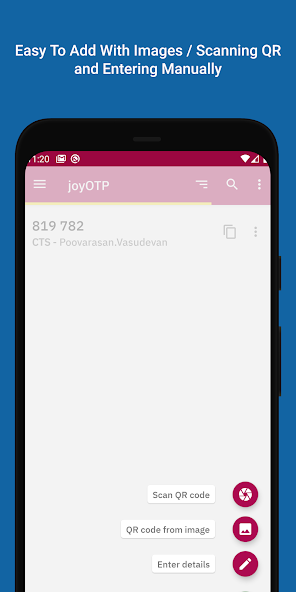
Explore what you can do with JoyOTP.
Add supported accounts by scanning their authenticator QR codes.
Access time-based and counter-based one-time passwords without an internet connection.
Choose backup options including password protection and OpenPGP encryption.
Screenshots from Google Play. Select any screenshot to enlarge.
Use the backup options carefully and keep recovery information somewhere safe.
Choose authenticator setup in your service’s security settings.
Scan its QR code in joyOTP to add the account.
Enter the generated code when the service asks for it.
TOTP · HOTP · Android KeyStore · Encrypted backups
Discover JoyOTP on Google Play.